
02 — In the field
Stock aircraft.
Stock controller.
No cloud.
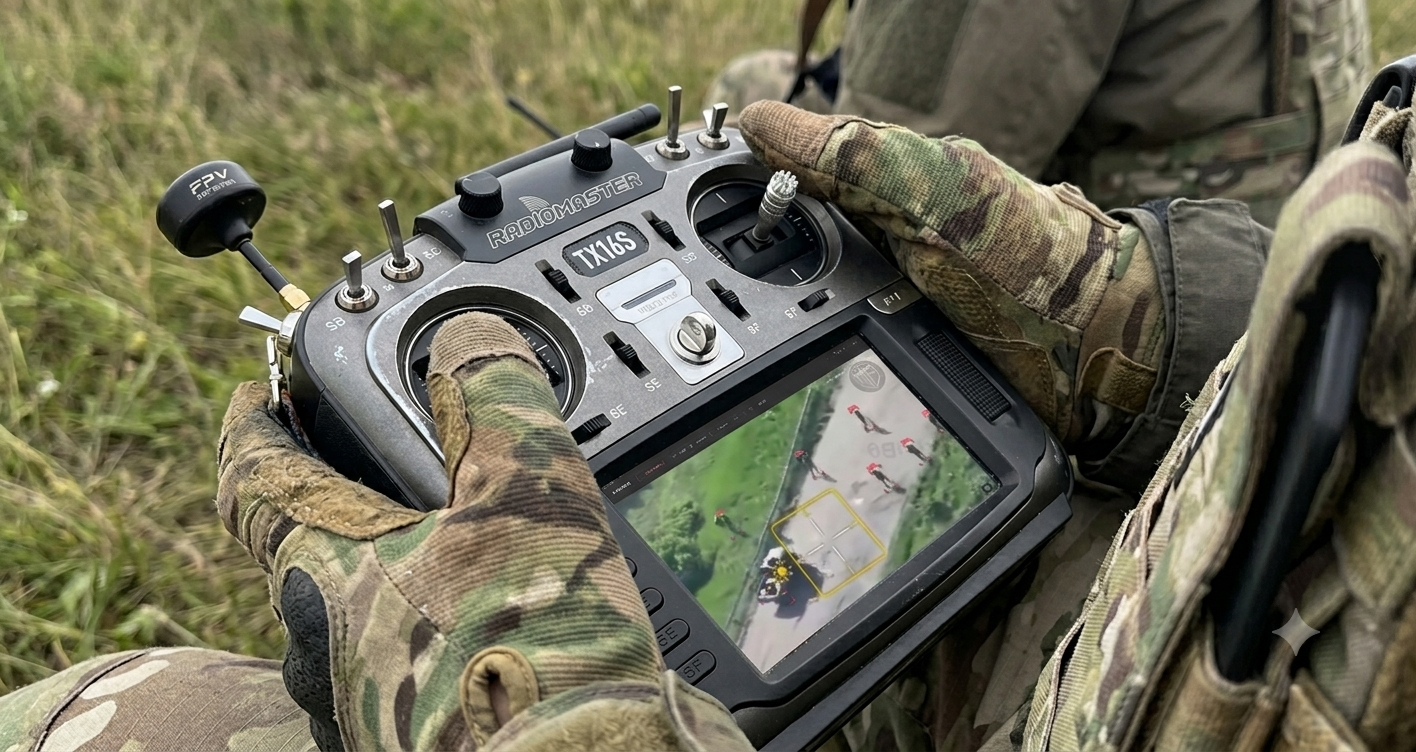
Perception software is easy to demo on a laptop with a video file. The hard part is the chain in between — getting live frames off a real aircraft, into a real machine, fast enough to matter, without asking anyone to modify hardware or sign up for an account. That chain works today.
02.0 — The setup
One operator, one link, one machine.
Everything Mimir needs is already in the operator's hands. Move your pointer across the frame to resolve it.
 Mimir · liveMove to inspect
02.1
The chain, end to end
The aircraft flies normally. Its own app streams video to a small media server running on the local machine — a laptop in a vehicle, or whatever is nearby. Mimir subscribes to that stream and runs detection on the frames as they arrive.
Nothing leaves the local network. The stream is refused outright if the address isn’t a private one; that’s a deliberate constraint in the code, not a configuration default someone can forget to set.
- Aircraft
- A stock consumer airframe with its standard controller. No rooting, no sideloading, no firmware modification, no developer account. The flight app's own live-streaming feature is the whole integration.
- Transport
- Video lands on a local media server on the operator's machine. Mimir reads it back over the local network — the preview path is sub-second WebRTC, the detection path is a plain RTSP pull that any frame-grabber can consume.
- Compute
- Detection runs on that same machine, GPU-accelerated where one exists and falling back to CPU automatically where one doesn't. The model is a local file. There is no API call in the loop.
- Output
- Detections appear on the live tile as they happen, and every frame worth keeping is written to disk with its labels alongside — so a flight produces training data as a side effect of being flown.
02.2
Flying is how the dataset grows
Mimir’s capture loop is deliberately independent of the detector. It has to work before any model exists — that is the entire point of going out to gather data in the first place.
While a feed is live, Mimir harvests frames, but only ones that actually differ from what it has already seen. Hovering over one field for ninety seconds should not write three thousand near-identical images; a scene-change test in front of the writer makes sure it doesn’t. What comes back is a dataset, not a disk full of duplicates.
That distinction carries all the way through training. Frames inside a single clip are near-duplicates of each other, so the dataset is split by flight rather than by frame — otherwise almost-identical images end up on both sides of the split and the accuracy numbers describe nothing.
02.3
What the constraints actually are
We would rather write these down than have someone discover them in a demo.
- 720p ceiling
- Streaming off the stock controller tops out at 720p — a hardware limit on the controller, not something we can tune around. Detection is designed for it, but it is a ceiling.
- Stream latency
- The controller's own streaming path adds a few seconds before frames reach us. Fine for analysis and capture; not yet the number you want for anything closing a control loop.
- Local network only
- By design. The feed never traverses the public internet, which is the correct trade for this work and also means the operator's machine has to be on the same network as the controller.
- One class today
- The shipping detector finds people. Vehicles and structures are next, but we would rather name the gap than imply coverage we don't have.
The path past the first two is a direct link to the aircraft rather than through the controller’s streaming feature — full resolution, low latency, per-frame callbacks. That work is written and waiting on hardware; it’s tracked openly on the status page.
Want to see the feed?
The first public demo is a live run of exactly this chain. Get on the list and it lands in your inbox.